
Introduction
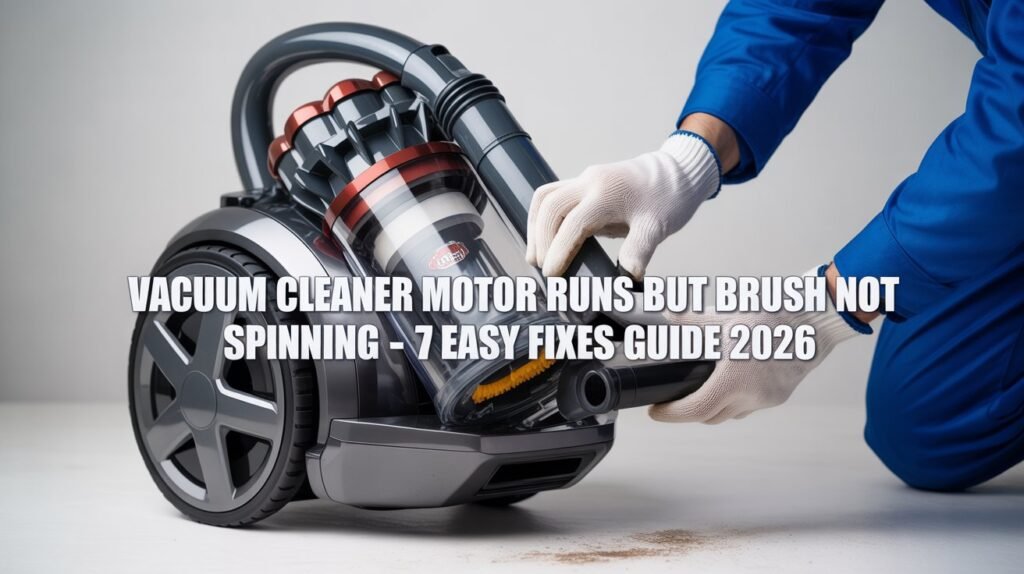
If your Vacuum Cleaner Motor Runs But Brush Not Spinning, it means the electrical system of the vacuum is working, but the mechanical cleaning system has failed. This is one of the most common vacuum cleaner problems in households, especially in upright and carpet-cleaning models.
In simple terms:
The motor is running, but the brush is not doing its job of cleaning the floor.
This issue can reduce cleaning efficiency by more than 70%, especially on carpets where the brush roll is essential for lifting dirt and debris.
The good news is that in most cases, this problem is not serious and can be fixed at home without professional repair. Around 80–90% of cases are caused by simple mechanical issues like belt failure, brush blockage, or incorrect settings.
This guide provides a complete diagnostic system, repair methods, advanced troubleshooting, prevention techniques, and decision-making steps used in professional repair environments.
Table of Contents
Understanding the Brush Mechanism (How It Works)
To fix this problem properly, it is important to understand how the brush system works.
A vacuum cleaner brush system has three main components:
- Motor (generates rotational power)
- Drive system (belt or direct drive mechanism)
- Brush roll (agitates and lifts dirt from carpet fibers)
Working Flow
Motor → Drive System → Brush Roll → Cleaning Action
If any part of this chain fails, the brush stops spinning even if the motor continues running.
This is why the motor working does not always mean the vacuum is fully functional.
For a deeper understanding of vacuum components, you can refer to:
https://vacuumandmop.com/parts-of-vacuum-cleaner-and-their-functions/
Major Causes of Brush Not Spinning
Below is a complete breakdown from most common to advanced technical issues.
1. Broken or Loose Drive Belt (Most Common Cause)
The drive belt is the most important mechanical connection between the motor and the brush roll.
What Happens
- Motor runs normally
- Brush roll does not move
Why It Fails
- Long-term wear and tear
- Heat exposure
- Continuous friction
- Old or low-quality belt
Symptoms
- Burning rubber smell
- Sudden stop of brush movement
- Motor sound remains normal
Fix Method
- Turn off and unplug vacuum
- Open brush housing cover
- Remove old belt
- Install correct replacement belt
- Rotate brush manually to check tension
- Reassemble and test
This is the fastest and most cost-effective fix in most cases.
2. Hair and Debris Blockage in Brush Roll
This is one of the most underestimated causes.
What Happens
Hair, threads, and carpet fibers wrap tightly around the brush shaft and stop movement.
Symptoms
- Brush tries to spin but gets stuck
- Grinding or clicking noise
- Reduced cleaning performance
Fix Method
- Remove brush roll completely
- Cut hair and fibers carefully
- Clean both ends of shaft
- Remove dust from housing
- Reinstall properly
This issue is especially common in homes with pets or long hair.
Related internal guide:
https://vacuumandmop.com/simple-vacuum-cleaner-fixes-at-home/
3. Worn Out Brush Roll
Over time, the brush roll itself can degrade.
What Happens
- Bristles become flat or uneven
- Brush loses cleaning efficiency
Symptoms
- Poor carpet cleaning
- Uneven contact with floor
- Weak agitation
Fix Method
- Replace brush roll with correct model
- Ensure proper installation alignment
4. Belt Slipping Without Breaking
Sometimes the belt is not broken but has lost grip.
What Happens
- Belt rotates but cannot transfer full force
Symptoms
- Intermittent spinning
- Weak brush performance
- Slight burning smell
Fix Method
- Replace belt completely
- Do not reuse old belt
5. Brush Motor Failure (Direct Drive Systems)
Some advanced vacuums use a separate motor for the brush.
What Happens
- Main motor works
- Brush motor fails
Symptoms
- No brush movement
- No vibration from brush area
Fix Method
- Check brush ON/OFF switch
- Inspect internal wiring
- Replace brush motor if required
For general appliance support reference:
https://www.samsung.com/support/home-appliances/
6. Jammed Bearings in Brush Roll
Bearings help the brush rotate smoothly.
What Happens
Bearings become dirty, dry, or damaged.
Symptoms
- Grinding sound
- Hard manual rotation
- Brush stiffness
Fix Method
- Clean bearing housing
- Apply light lubricant
- Replace bearings if worn out
7. Incorrect Mode or Height Setting
This is a very common user mistake.
What Happens
Vacuum is set to a mode where brush is automatically disabled.
Symptoms
- Motor runs normally
- Brush stays off
Fix Method
- Switch to carpet mode
- Adjust height setting properly
- Check brush activation switch
8. Safety Overload Shutoff
Vacuum cleaners have built-in safety protection.
What Happens
System shuts down brush to prevent damage.
Triggers
- Overheating
- Blocked airflow
- Jammed brush roll
Fix Method
- Turn off vacuum
- Wait 20–30 minutes
- Clean filters and airflow path
- Restart machine
Professional Diagnostic Flow (Step-by-Step System)
Follow this exact order used in repair practice:
Step 1: Power OFF
Unplug vacuum completely for safety.
Step 2: Check Settings
Ensure correct floor mode and brush activation.
Step 3: Manual Brush Test
Rotate brush by hand to check resistance.
Step 4: Belt Inspection
Check for breakage, looseness, or slipping.
Step 5: Deep Cleaning
Remove all hair, dust, and debris from brush area.
Step 6: Reassemble and Test
Run vacuum on carpet surface.
Decision System: Repair or Replace
| Condition | Decision |
|---|---|
| Broken belt | Repair |
| Hair blockage | Repair |
| Bearing issue | Repair |
| Brush motor failure | Depends |
| Multiple system failure | Replace |
Cost Analysis
- Belt replacement → Low cost
- Brush roll replacement → Medium cost
- Motor repair → High cost
Important Rule
If repair cost exceeds 50% of a new vacuum, replacement is more practical.
Internal Linking
For related vacuum troubleshooting topics:
https://vacuumandmop.com/parts-of-vacuum-cleaner-and-their-functions/
https://vacuumandmop.com/vacuum-cleaner-losing-suction/
https://vacuumandmop.com/simple-vacuum-cleaner-fixes-at-home/
External Authority References (Trust Building)
For general appliance maintenance and safety information:
Consumer Reports – product reliability analysis
Good Housekeeping – home maintenance guidance
Samsung Support – official appliance troubleshooting documentation
Pro Maintenance Tips (Expert Level)
- Clean brush roll weekly to avoid blockage
- Replace belt every 6–12 months
- Do not ignore burning smell
- Always check mode before opening machine
- Keep airflow system clean for better performance
Common Mistakes Users Make
- Using vacuum with broken belt
- Ignoring weak brush movement
- Forcing stuck brush manually
- Not cleaning hair buildup regularly
FAQ
Why is my vacuum cleaner motor running but brush not spinning?
Because of a broken belt, blocked brush roll, or incorrect mode setting.
Can I fix this problem at home?
Yes, most cases are fixable without professional repair.
What if belt replacement does not solve the issue?
Check brush motor, bearings, or wiring.
Is it safe to use vacuum without brush spinning?
Yes for hard floors, but not effective for carpets.
How often should I maintain my vacuum?
Every 3–6 months for best performance.
Conclusion
When a vacuum cleaner motor runs but the brush is not spinning, the issue is almost always mechanical rather than electrical.
In most real-world cases, the problem is caused by:
- Broken or slipping belt
- Hair and debris blockage
- Incorrect mode settings
By following this complete diagnostic system, you can identify and fix the problem efficiently without unnecessary repair costs.
Regular maintenance is the key to preventing this issue and extending the lifespan of your vacuum cleaner significantly.
You have not enough Humanizer words left. Upgrade your Surfer plan.