
Introduction
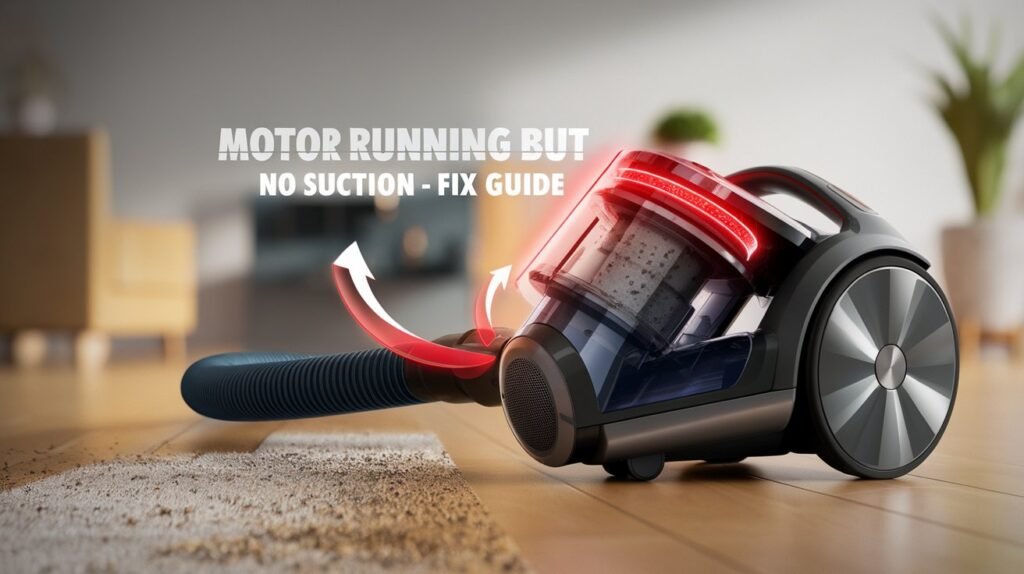
Vacuum Cleaner Motor Running but No Suction A vacuum cleaner is one of the most essential household appliances for maintaining a clean and healthy home. It helps remove dust, allergens, pet hair, and debris from floors, carpets, and furniture. However, one of the most frustrating issues users face is when the vacuum cleaner motor is running but there is no suction.
This problem can make your vacuum completely ineffective. You hear the motor working, but it fails to pick up even the smallest particles. The good news is that this issue is usually not serious and can be fixed easily at home.
In this comprehensive guide, we will explain everything you need to know about this problem, including causes, step-by-step fixes, maintenance tips, and expert advice to prevent it in the future.
Table of Contents
Understanding How Vacuum Suction Works
Before fixing the problem, it is important to understand how suction works.
A vacuum cleaner creates suction using a motor that powers a fan. This fan pulls air through the vacuum, creating a pressure difference. The air carries dust and debris into a container or bag.
If anything blocks this airflow, suction will drop or completely disappear.
Main Reasons Vacuum Cleaner Motor Running but No Suction
1. Blocked Hose
The hose is the main pathway for airflow. If it is blocked, suction stops immediately.
2. Dirty or Clogged Filter
Filters trap dust but can get clogged over time, restricting airflow.
3. Full Dust Bag or Canister
When the dust container is full, air cannot pass through properly.
4. Clogged Brush Roll
Hair, threads, and debris can stop the brush from functioning.
5. Air Leaks
Cracks or loose connections allow air to escape, reducing suction.
6. Motor or Fan Issues
If the motor is weak or the fan is damaged, suction will decrease.
7. Blocked Internal Pathways
Dust buildup inside the vacuum body can restrict airflow.
Step-by-Step Fixes (Complete Guide)
Fix 1: Empty the Dust Bag or Container
This is the easiest and most common solution.
Steps:
- Turn off and unplug the vacuum
- Remove the dust container
- Empty it completely
- Reattach securely
Tip: Always empty before it becomes fully packed.
Fix 2: Clean or Replace Filters
Filters should be cleaned regularly.
Steps:
- Remove filter
- Wash with water (if washable)
- Let it dry for 24 hours
- Reinstall
if damaged, replace it.
Fix 3: Remove Hose Blockage
Steps:
- Detach the hose
- Shine a light through it
- Use a stick or compressed air to remove blockage
Fix 4: Check the Brush Roll
Hair buildup can stop performance.
Steps:
- Turn vacuum upside down
- Remove brush roll
- Cut tangled hair
- Clean thoroughly
Fix 5: Inspect for Air Leaks
Steps:
- Check all connections
- Tighten loose parts
- Replace cracked hose
Fix 6: Clean Internal Airflow Path
Dust can accumulate inside.
Steps:
- Open vacuum casing (if possible)
- Remove visible debris
- Clean airflow channels
Fix 7: Check the Belt
A broken belt affects brush movement.
Steps:
- Open brush area
- Inspect belt
- Replace if loose or broken
Fix 8: Let the Vacuum Cool Down
Overheating can reduce suction.
Steps:
- Turn off vacuum
- Let it rest 30 minutes
Fix 9: Inspect Motor and Fan
If nothing works, motor might be the issue.
In this case, consider professional repair.
You should link this article with related posts on your site:
- https://vacuumandmop.com/vacuum-cleaner-not-picking-up-dirt
- https://vacuumandmop.com/how-to-clean-vacuum-filter
- https://vacuumandmop.com/vacuum-overheating-problem
Example topics:
- Maintain keyword density around 1–1.5%
- Use long-tail variations naturally
Advanced Tips to Improve Vacuum Performance
- Clean filter every 2 weeks
- Empty container regularly
- Avoid vacuuming large debris
- Store in dry place
- Check hose weekly
Common Mistakes to Avoid
- Using vacuum with full bag
- Ignoring filter cleaning
- Vacuuming wet surfaces
- Not checking hose blockage
- Overusing without breaks
Expert Advice
Most suction problems are caused by simple issues like blockages or dirty filters. Regular maintenance can prevent 90% of problems.
Conclusion
If your vacuum cleaner motor is running but no suction, the problem is usually simple. Most of the time, it is caused by a clogged hose, dirty filter, or full dust container.
By following the step-by-step fixes in this guide, you can restore your vacuum’s performance quickly and easily. Regular maintenance is the key to keeping your vacuum working like new.
FAQs
Q1: Why is my vacuum cleaner running but not picking anything?
Because airflow is blocked or filter is dirty.
Q2: Can I fix suction problem myself?
Yes, most issues are easy to fix at home.
Q3: How often should I clean the filter?
Every 2–3 weeks.
Q4: Is it safe to open vacuum cleaner?
Yes, but follow manual instructions.
Q5: When should I replace my vacuum?
If motor is damaged and repair cost is high.